Your workspace + CLI
Generate and download assets for games and apps. Build films with Codex or Claude Code, export HTML5 and MP4, and keep a shared brand across animations.
Set up the CLI
The controllable AI animation studio
AI video models give you a different clip every time. In AnimaGuru, every scene, layer and moment on the timeline does exactly what you say — and ChatGPT or Claude can direct it all for you.
Direct it from ChatGPT or Claude with the AnimaGuru MCP and CLI.
Why AnimaGuru
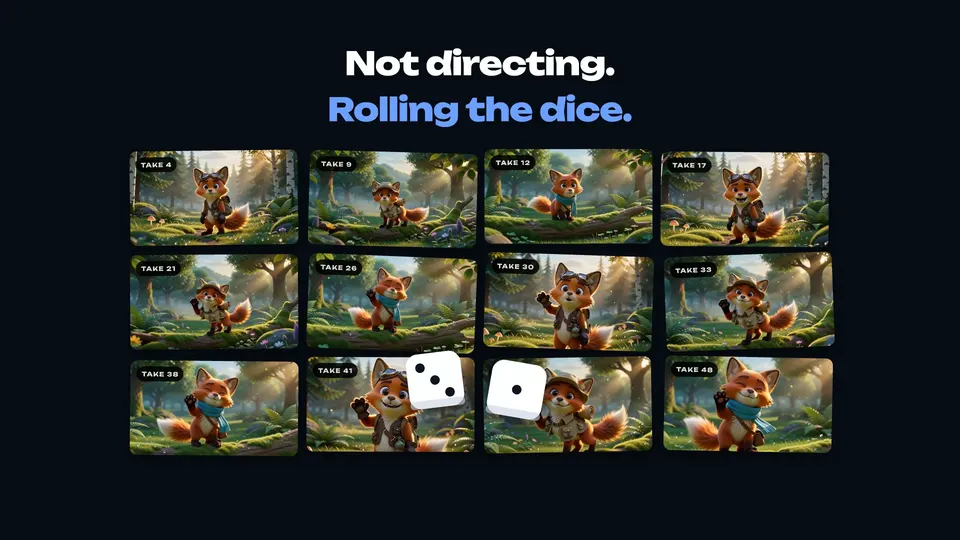
With a prompt-only video model you're not directing, you're rolling the dice. AnimaGuru puts you back in control, and gives your AI every tool it needs to direct a whole film.
01The problem
Ask an AI video model for a scene and you get a clip. Ask again and you get another one. Change one small thing and everything changes.
02Back in control
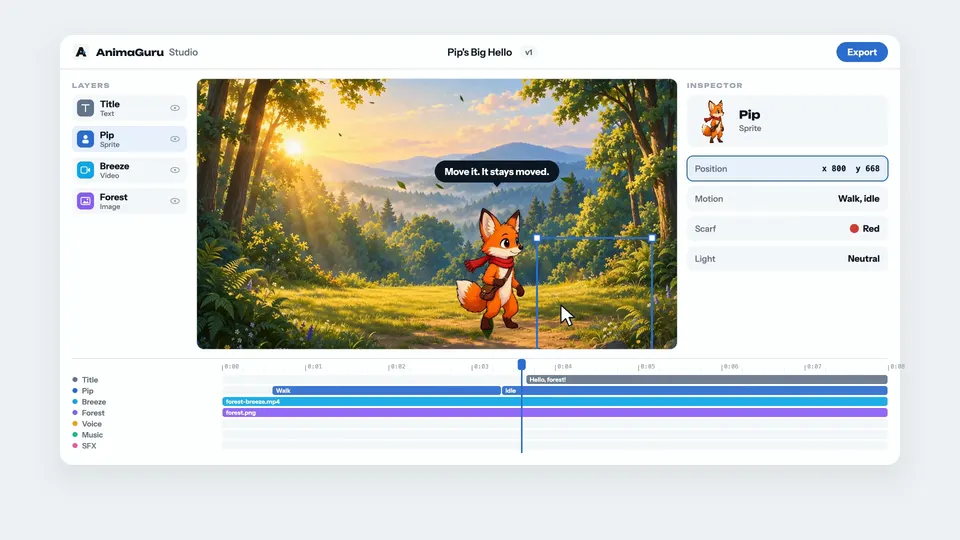
A fully controllable animation studio: every scene, every layer and every moment on the timeline does exactly what you say.
03Everything inside
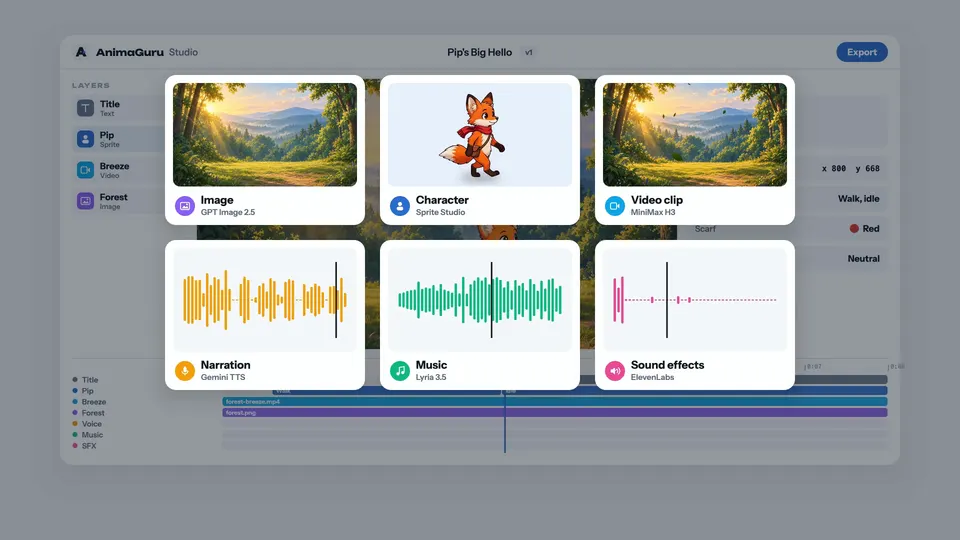
Images, animated characters, video clips, narration, music and sound effects, made for the scene they belong in.
04Your AI directs
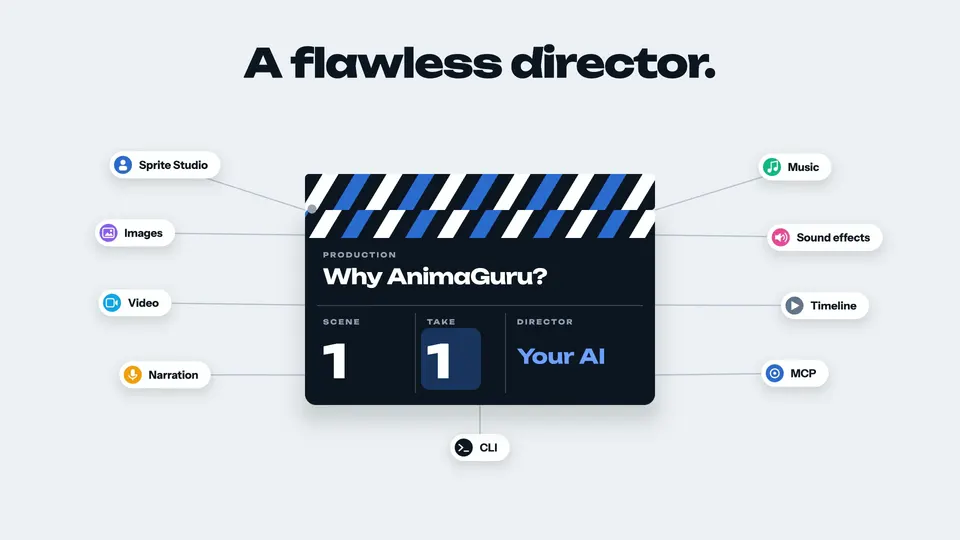
ChatGPT or Claude checks every scene, changes it and fine-tunes it until it's perfect, in minutes. With the MCP and CLI, the whole film gets finished without leaving the chat.
Less getting ready. More making.
You bring the spark. AnimaGuru helps you make something of it.
“A curious little fox. A blue airplane. An adventure above the clouds.”
Your imagination is the starting point.Describe what you imagine, or bring a reference image. Give your creation a direction, a style and a little personality.
Generate your assets, explore variations and bring them to life with movement, music and a voice.
Download your assets for your game, film or next big project. Keep everything organized as your idea grows.
Made for the way you work
Stay in your editor, terminal or chat. Your AnimaGuru projects and creative tools come with you.
Generate and download assets for games and apps. Build films with Codex or Claude Code, export HTML5 and MP4, and keep a shared brand across animations.
Set up the CLIConnect with OAuth to browse projects, draw and animate sprites, generate media, review estimates and track jobs. MCP Apps clients add interactive previews.
Connect your agentBrowse your projects, play media, inspect animation frames and review generation in a studio inside your conversation.
Currently in review for the ChatGPT directory.
Preview the pluginCreate images, characters, sprite animations, videos, music, speech and sound effects. Keep related assets in a project, then download them to use in your creative workflow.
You can create and manage assets directly in the browser studio. If you prefer working with an AI coding agent, AnimaGuru also has a CLI and an MCP connection. You’ll find the setup guide in the footer.
Generation uses credits, and every new account starts with 30 free credits to try AnimaGuru. The amount a job uses depends on the asset, model and settings you choose. You can review the estimate before starting a job and check your balance in Manage Billing. Buy more anytime with one-time credit packs; their credits last 12 months.
No. Create a free account, start with 30 free credits and buy one-time credit packs only when you need more. Individual Pro and Team are optional cloud workspace plans.
Credits pay for AI generation. Individual Pro and Team add a cloud workspace: sync and versions for your projects, shared team projects and the cloud animator agent. Publishing to your channels is coming soon. Credit packs work with or without a plan, and their credits last 12 months. The credits a plan includes renew each billing month and end with the plan.
Yes. Import a reference image for your character, or use an image in your project as the starting frame for a video. It’s a way to build on an idea you’ve already started.
Yes. Download generated assets and export your project files, including sprite sheets and animation data. You can also upload finished videos to your library and choose whether to keep them private or share them.
Made for your imagination
One little idea is all it takes to begin.
Start creatingPricing
No subscription required. Buy credits whenever you need them, and add a cloud workspace only when you want sync, versions or a team.
Get 30 free credits once you verify your email. Direct AnimaGuru in the web studio or from Claude, Codex and the CLI.
Sign up freeCredit packs from $5. One-time purchases, valid for 12 months. Every job shows its estimate before it runs.
See credit packsOptional. Cloud sync, versions and team projects from $19 a month.
See workspace plansOne-time purchase · No subscription required · Valid for 12 months
$5
300 credits
Choose Starter$15
950 credits
Save 5%
Choose Creator$40
2,600 credits
Save 8%
Choose StudioOptional cloud workspace
Cloud sync, versions and team projects. You don't need a plan to generate.
Your personal cloud workspace
$19 / month
50 credits every month
Everything in Free, plus
A shared cloud workspace for your team
$49 / month
150 credits every month
Everything in Individual Pro, plus
Prices exclude tax. Plans renew monthly until canceled. The credits a plan includes renew every billing month, don't carry over and end with the plan. Publishing integrations are coming soon.